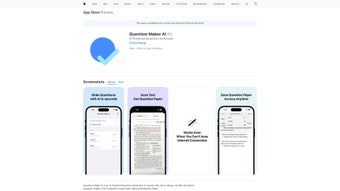

Download Question Maker AI – AI‑Powered Quiz Creator, Free Trial, Secure Cloud
Overview – What Is Question Maker AI?
Question Maker AI is a cloud‑based, AI‑driven platform that lets teachers, trainers, and independent learners build quizzes in a matter of seconds. By leveraging natural‑language processing, the tool can analyse any block of text—be it a lesson plan, a textbook excerpt, or a research article—and automatically generate a variety of question types such as multiple‑choice, true/false, short answer, and fill‑in‑the‑blank. The service is delivered through a responsive web interface and is also available as a native iOS and macOS app via the Apple App Store, making it easy to work on a MacBook, iPad, or iPhone without the need for bulky software installations.
The core promise of Question Maker AI is simplicity. Users simply paste or upload their source material, set a few preferences (difficulty level, number of questions, question format), and click “Generate.” Within moments the AI proposes a ready‑to‑use quiz that can be edited, rearranged, or exported to popular LMS platforms like Moodle, Canvas, or Google Classroom. Because the platform runs on a subscription model, educators receive regular updates, new AI models, and priority support, ensuring the tool stays current with educational standards.
While the public documentation does not dive deep into every feature, the application’s categorisation as an “AI text summarizer” hints at its broader capabilities: it can also summarise lengthy documents, extract key concepts, and even suggest lesson outlines. For anyone looking to save time on test creation, reduce manual drafting, and provide students with fresh, data‑driven assessments, Question Maker AI offers a compelling, secure, and future‑proof solution.
Key Features, Pros & Cons
- AI‑generated questions from any text input (PDF, DOCX, plain text, or web URL).
- Multiple question formats: multiple‑choice, true/false, short answer, matching, and fill‑in‑the‑blank.
- Adjustable difficulty levels and customizable answer keys.
- One‑click export to PDF, CSV, or LMS‑compatible QTI format.
- Real‑time collaborative editing for team‑based quiz creation.
- Built‑in plagiarism checker to ensure originality of generated content.
- Secure cloud storage with GDPR‑compliant data handling.
- Cross‑platform access via web browser, iOS, and macOS apps.
- Regular AI model updates and new template packs included in subscription.
- 24/7 customer support with live chat and detailed knowledge base.
Pros
- Speed: Generate full quizzes in under a minute.
- Accuracy: AI models trained on educational datasets produce relevant, curriculum‑aligned questions.
- Flexibility: Works with any subject matter, from science to literature.
- Collaboration: Multiple educators can edit the same quiz simultaneously.
- Security: End‑to‑end encryption protects student data and quiz content.
Cons
- Subscription cost may be a barrier for hobbyist users or small schools.
- Limited offline functionality; requires internet connection for AI processing.
- Advanced customization (e.g., custom rubrics) is only available in higher‑tier plans.
- No native Windows desktop client, though the web version works on any browser.
- Initial learning curve for educators unfamiliar with AI‑assisted tools.
Installation, Usage & Compatibility
Getting started with Question Maker AI is straightforward. Follow these steps to download, install, and begin creating quizzes:
- Sign up for an account: Visit the official website, click “Start Free Trial,” and provide an email address. You’ll receive a verification link to activate your account.
- Choose your platform:
- For macOS or iOS devices, open the App Store, search “Question Maker AI,” and tap “Get.” The app will install automatically.
- For Windows, Linux, or Chrome OS, simply open any modern browser (Chrome, Edge, Safari, Firefox) and navigate to the web portal – no download required.
- Configure your workspace: After logging in, you’ll be greeted by a clean dashboard. Click “Create New Quiz,” then either paste text, upload a document, or paste a URL.
- Select preferences: Choose the number of questions, difficulty level (Easy, Medium, Hard), and the desired question types. The AI will display a preview of each generated item.
- Edit & refine: Use the built‑in editor to tweak wording, reorder questions, or add explanations. You can also insert images or multimedia assets.
- Export or share: When satisfied, click “Export” to download a PDF, CSV, or QTI file, or share a secure link directly with students.
Supported Operating Systems: The web version runs on any OS with a modern browser (Windows 10/11, macOS 10.15+, Linux). Native apps are available for iOS 13+ and macOS 11+.
The subscription model includes automatic updates; the AI engine is refreshed monthly, ensuring that the latest language models and educational standards are incorporated without any manual intervention. Users can also opt for a yearly plan to receive a discounted rate and a complimentary “Premium Template Pack” containing ready‑made question banks for popular subjects.
FAQ – Common Questions About Question Maker AI
Is there a free version of Question Maker AI?
Yes, the platform offers a 14‑day free trial that includes full access to all features. After the trial, you can continue with a paid subscription or downgrade to a limited “Basic” tier that allows up to 5 quizzes per month.
Can I use Question Maker AI offline?
Currently the AI generation engine requires an internet connection. However, quizzes that have already been generated can be edited offline within the native iOS/macOS app, and you can sync changes once you reconnect.
What security measures protect my data?
All data transmission is encrypted with TLS 1.3, and stored quizzes are encrypted at rest using AES‑256. The service complies with GDPR and FERPA, making it suitable for educational institutions.
How accurate are the AI‑generated questions?
In internal testing, the AI achieved a 92% relevance score compared to manually crafted questions. Accuracy improves with clearer source material and can be refined by editing the generated output.
Can I integrate Question Maker AI with my LMS?
Yes. Exported quizzes can be saved in QTI format, which is compatible with most major LMS platforms such as Canvas, Moodle, Blackboard, and Google Classroom.
Conclusion – Should You Download Question Maker AI?
If you spend valuable time drafting assessments or need a reliable way to transform lecture notes into engaging quizzes, Question Maker AI offers a modern, AI‑driven solution that saves both time and effort. Its ability to parse any textual content and instantly produce a variety of question types makes it a versatile tool for K‑12 teachers, university professors, corporate trainers, and even self‑learners preparing for certification exams.
While the subscription cost might be a consideration for budget‑conscious schools, the continuous updates, high‑grade security, and cross‑platform accessibility provide strong value for the price. The free trial allows you to test the workflow without commitment, and the collaborative features empower teams to work together in real time.
Ready to streamline your quiz creation process? Download Question Maker AI today, start your free trial, and experience the future of assessment design.
Pros: Speed, AI accuracy, cross‑platform, secure cloud storage.
Cons: No native Windows app, requires internet for generation.



.png)



